Emu64 XL
A fast Commodore 64 Emulator
Ratings
Age
4+
Category
Action
Languages
English
Thu Jun 20 2024
Bugfixed

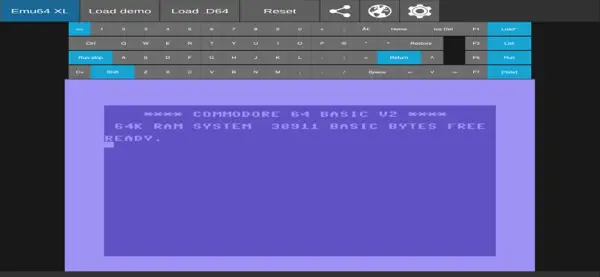
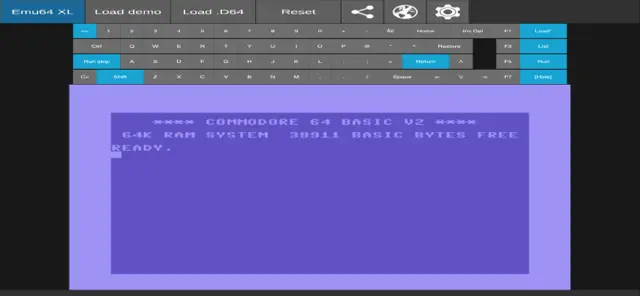
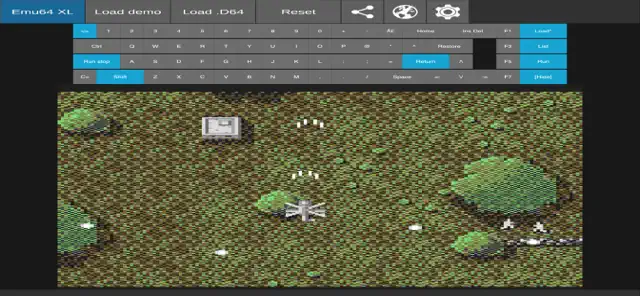
Emu64 XL is a powerful Commodore 64 (C64) emulator that brings the iconic 8-bit computer to your iOS devices. It features high compatibility with various file formats (.D64, .T64, .PRG), authentic SID sound chip emulation, and customizable virtual controls. Whether you want to relive the golden age of gaming or explore vintage software, Emu64 XL provides a smooth, optimized experience for enthusiasts and newcomers alike.
Dinsun Expert Review
Our Expert Score
Emu64 XL is a nostalgic powerhouse for anyone who grew up with the Commodore 64. As an emulator, it does a fantastic job of bringing that 8-bit magic to modern iOS devices without the clunkiness you often find in mobile ports. The interface is clean, and the inclusion of a virtual keyboard and joystick support makes it feel like you're actually sitting in front of the 'breadbin' again.
What sets this apart is the attention to peripheral emulation. It’s not just about loading a ROM; it’s about the experience of the floppy disk drive and the authentic SID chip sound reproduction. While touch controls on any emulator can be a bit of a hurdle, Emu64 XL handles them gracefully, and it’s even better if you hook up a Bluetooth controller. For fans of retro computing, this is a must-have utility that turns your iPhone or iPad into a portable piece of history.
Features
Authentic C64 hardware emulation
Support for .D64, .T64, and .PRG files
Integrated virtual keyboard and joystick
SID sound chip reproduction
External Bluetooth controller support
Tips & Walkthrough
To start playing, tap the folder icon to browse your local files. Select a .D64 or .PRG file. Use the virtual 'Run' button or type the classic LOAD command to begin your retro journey.
Gameplays
The emulator supports different joystick ports. If your game isn't responding, switch between Port 1 and Port 2 in the settings menu to match the game's original requirements.
Screenshot
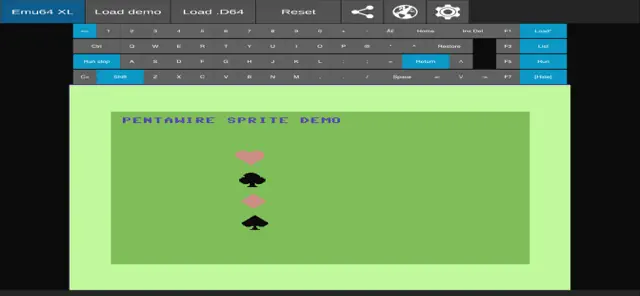
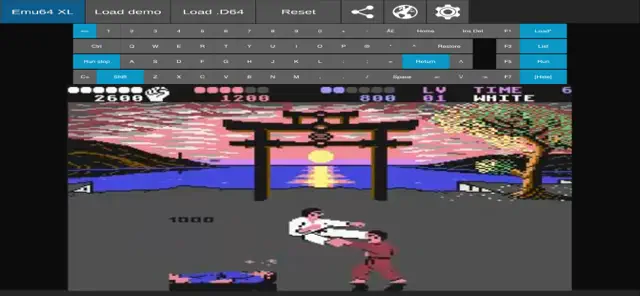
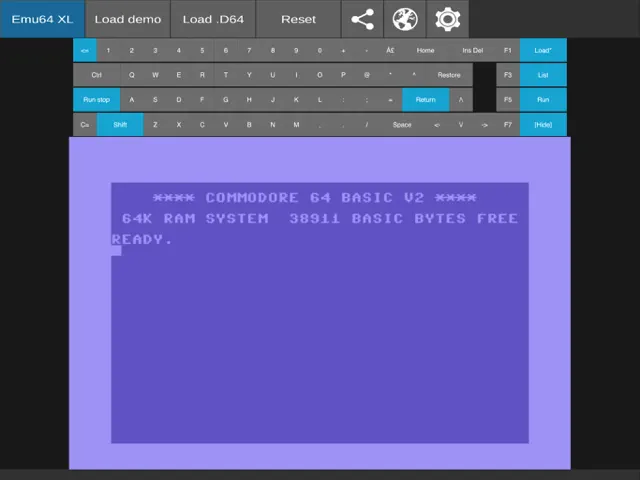


Q&A
No, Emu64 XL is an emulator only. You must provide your own legally owned disk or tape images.
Ratings & Reviews
Still lots of problems
Thu May 02 2024 JBellancaTh edev added semi-support for D64's - I say "semi" because it's ridiculously clunky and unlike any other 64 emulator. You have to go to an external website, upload your D64 file, copy a chunk of encoded text, paste it back in the app, and then it'll load the D64. I tested it with Ultima V, which I wanted to play - and it... worked... ish. Changing disks is an exercise in futulity. Ultima V finally did load but it look several minutes to load, and then several minutes to get past the first welcome screen, and then the actual intro screen was so slow I gave up as the game would have been completely unplayable. And I don't get why - there's other C64 emulators foir the iPad before that work perfectly fine, and don't have these crazy limitations - just not in the app store. Oh well. I'm glad the dev is trying, I suppose.
Good attempt
Tue Sep 24 2024 GamingTycoonIt is a good attempt but without external joystick (PS4 gamepad) or being able to redefine keyboard (magic keyboard) for joystick emulation, it just doesn't work well.
Installation is full of data mining stuff!
Sun Dec 08 2024 Black_X_LightFrankly, I’ve never seen an app with this much add and data mining and tracking permissions, many that you can’t even disable, during the installation process! Holy heck! It feels like you go through 40+questions about permissions or more!! Hopefully someone will come along and give us a better, less intrusive port of the Vice emulator than this. I’d be fine paying for a good app version of the Vice Emulator. Going this extensive add, and tracking rout is NOT the way to go. I’ve dreamed of having a C64 emulator on my iPhone so I can have fun writing and running programs. Sadly, this is not the app for me.
Buggy, slow, full of ads… simply disappointing
Sun Apr 13 2025 Mr. Lance E SloanThe keyboard appears only at the top of the screen and can't be moved to the bottom of closed. When running the fractal program from the included demo disk, it runs so slowly. It's amazing that this emulator for a 40 year old computer doesn't have an option to run the processor at the speed of a modern one. Finally, there emulator died in the middle of the fractal demo due to some audio error. The demo didn't even use audio. Aside from that demo, the emulator overall is awkward and clumsy. Using an actual Commodore 64 from the 1980s would be a much better experience.
Be WARNED, it has around 80 trackers for your privacy (or lack of)
Sun Apr 14 2024 eliaxWhen you first install this ask it asks you to content to a ridiculous number of privacy violations with cookies (about 30 or so), and if you’re not careful at the end of the list if you click on “vendors” you get to see about 50 or so more, and many of them have been pre-selected to track you. I can’t begin to imagine how this App got past Apple’s quality/privacy/abuse control. DO NOT INSTALL or you will be followed all over the Internet with hundreds of cookies.
Not there yet
Thu May 02 2024 BuxomSpaceFishI downloaded because description says it loads D64 files, but then when you try to it says coming soon. Be honest in your app description… Update - it was updated, but I have to paste in the contents of the disk image? Come on, can you make it any more difficult to use? What’s with the 100+ trackers and big ad banner taking up screen space? How about letting us pay a little (once it all works) to not waste screen space with ads?
Was a decent app -- Now ads...
Thu May 02 2024 Enki941This was a pretty nice app and I was looking forward to using it. But in the last update, they started putting large ads in the bottom of the screen with no way to get rid of them. No thanks.
No feature actually work yet
Sun Apr 14 2024 JBellancaD64 files can’t be loaded. Turning on sound throws a Vice emulation error. And the demo fails to load and just has a spinning icon show forever.