PokerTimer Professional
Tournament Poker Blind Manager
Ratings
Age
4+
Category
Casino
Languages
English
Fri Dec 26 2025
- 3.21 fixes and issue with the play button on iPad.
- iOS26 Support
- Spanish Translation
- Fixed a reported issue where if you reset the tournament when in warning time, it resets the background correctly.
If you love the PokerTimer app, please keep those rating and reviews coming.
We're proud to have helped you smoothly run your poker tournaments for over 15 years.
- iOS26 Support
- Spanish Translation
- Fixed a reported issue where if you reset the tournament when in warning time, it resets the background correctly.
If you love the PokerTimer app, please keep those rating and reviews coming.
We're proud to have helped you smoothly run your poker tournaments for over 15 years.

PokerTimer Professional is the ultimate tool for organizing and running your own poker tournaments. Whether you're hosting a small friendly game or a large-scale event, this app provides a professional tournament clock with customizable blind structures, audio alerts, and a comprehensive payout calculator. It simplifies the logistics so you can focus on the cards.
Dinsun Expert Review
Our Expert Score
PokerTimer Professional is an essential tool for anyone who hosts home poker tournaments. It turns your iPad into a professional-grade casino blind-display. The customization options are the standout feature here; you can set specific blind levels, ante amounts, and break intervals to match exactly how you want your tournament to run.
The interface is designed for high visibility, making it easy for players across the table to see the remaining time and current blinds. It also includes helpful features like a payout calculator and chip set manager. While it doesn't have the 'flash' of a game, as a professional utility, it is robust and reliable, removing the headache of manual timekeeping from your game nights.
Features
Fully customizable blind and ante schedules
Audio announcements for level changes
Payout and prize pool calculator
Supports multiple tournament formats
Tips & Walkthrough
Use the 'Structure' tab to define the length of each round and the blind increments. You can save these as templates for future game nights.
Gameplays
Enter the total buy-in amount and number of players, and the app will automatically suggest a payout distribution for the top winners.
Screenshot


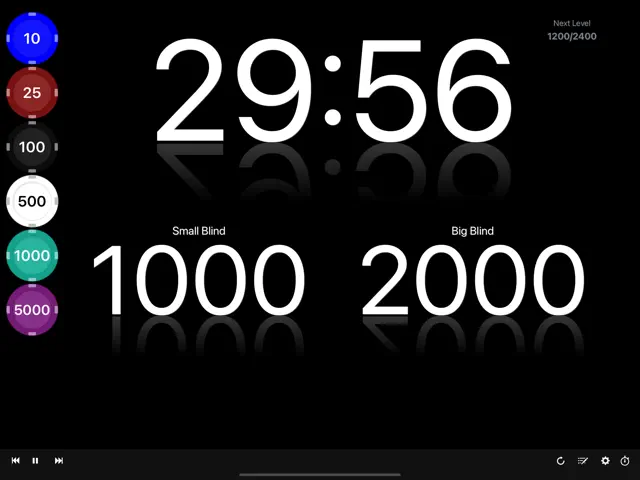

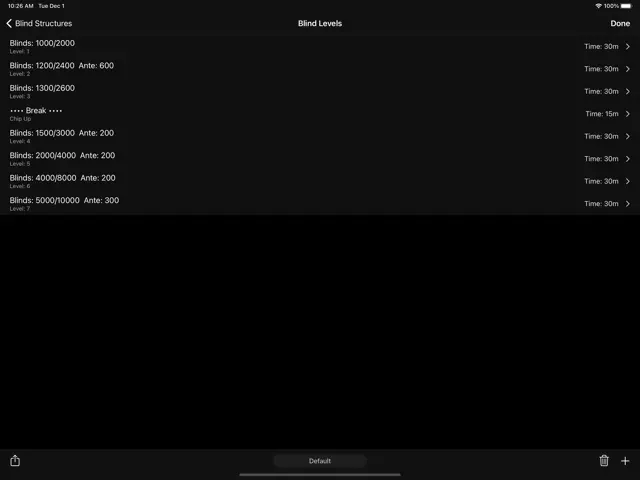
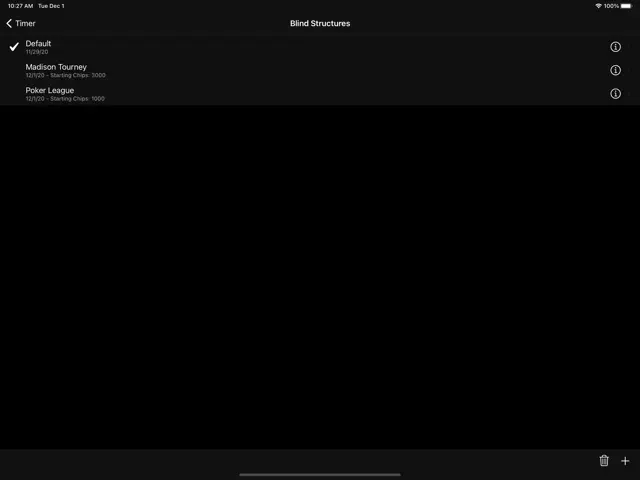
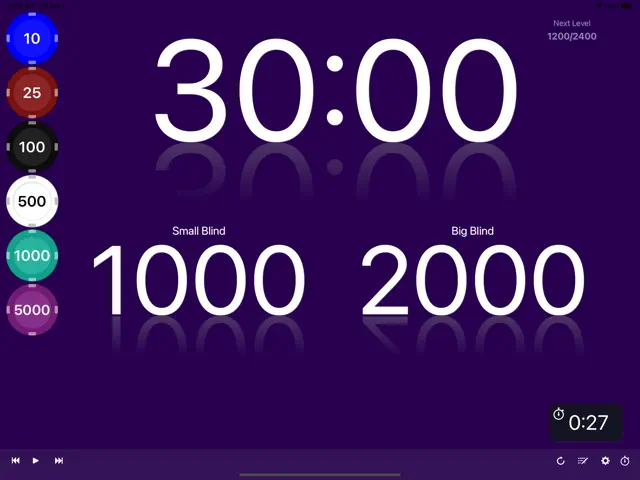
Q&A
Yes, the app prevents the device from sleeping so the timer remains visible to all players.
Ratings & Reviews
The best poker clock!
Thu May 19 2022 bvandeheyI love this app. The minimalist display is very clean and professional. I originally gave 4 stars because of a few bugs but the bugs were fixed quickly after I reported them. One suggestion for a new feature is to be able to have multiple clocks that stay in sync with each other. This would be great when we have multiple tables and each table would have a clock sync with the other tables.
Great app
Thu Nov 21 2024 PCakes35I have a poker tournament at my home 30 people every month. Just love this app.
Exactly what I needed.
Sun Sep 19 2021 Kite Flying JimPerfect Texas Holdem tournament clock, nothing more or nothing less than I need. Lost one star because we wanted to show the chips, but the yellow chip uses a white font, so the chip denomination is unreadable.
Options
Sat Apr 06 2024 cpiguy33Relatively straight forward. Would like to see the following added. Big Bind ante option List of payouts Average chip stack Total chips in play When next break takes place Thanks
Good App
Tue Sep 13 2011 LuckylochoVery good app for $0.99 but I can't seem to get the sound to work when the levels change. Not sure if this is a flaw or user error? The tools for this seem to be in the menu but I can't get the alarm to sound when levels change. Still, a simple clear and easy to use poker timer.
Poker timer
Sat Mar 03 2012 Pkrgrl3This app does not have the option to put breaks in between blinds, I hope the designers see this and update that option, other than that the app is simple and easy and will do the job.
Flaws that HAVE to be fixed
Tue Apr 17 2012 QuietfunAfter downloading the app I tried to type in my "Small Blind" and "Big Blind" into the designated fields. It WOULD NOT let me type it in nor erase the default numbers. I then preceded to delete the app and re-download it for another go, and the SAME PROBLEM was occurring.. Other then that it appears to be a great application for any tournament. I hope this will be FIXED so I can then return and leave a 5 STAR rating like I wish I could now.
It's pretty good and worth a $1
Sun Nov 28 2010 mikosphotographersIt would be great to have different sets of blinds for faster or slower tourneys and not have to re-enter them each time.
Some Youtube Videos found!

Pro Pinball: TimeShock! gameplay video - YouTube

RB PokerTimer - YouTube

Pro Pinball: Timeshock! - The ULTRA Edition - iOS Gameplay - YouTube

Birdwatcher - BoardGameGeek How To Play - YouTube

How to Use a Shot Timer to Improve Your Shooting | Pocket Pro II - YouTube

Pro-Pinball: TimeShock! gameplay (PC Game, 1997) - YouTube

Home Poker Tournament Blind Timer - YouTube