Mexican Train Dominoes 2
Family
Ratings
Age
4+
Category
Family
Languages
English
Mon Dec 16 2024
1. Sound effects volume is now variable from 0% to 100%.
2. Game will no longer shut off music from other apps.
3. Improved fit for all screen sizes.
4. Bug fixes

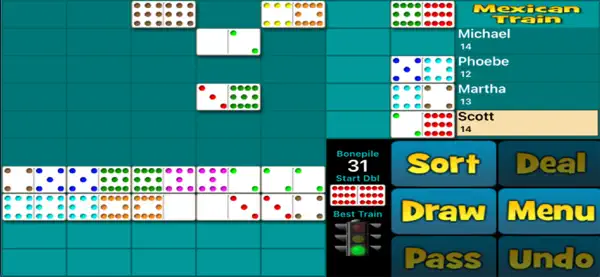
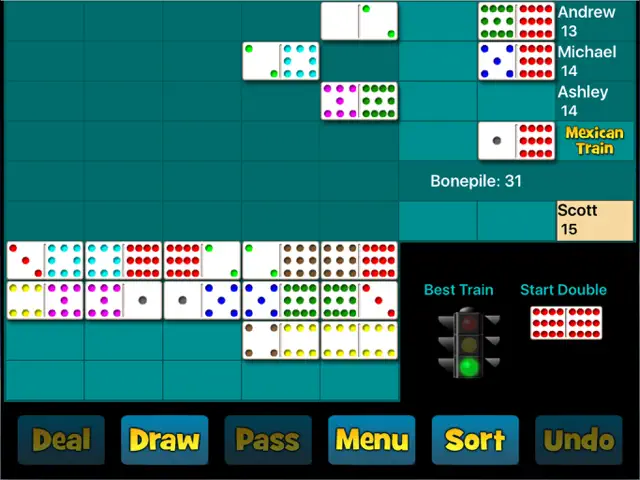
Bring the classic board game home with Mexican Train Dominoes Gold! The goal is to be the first player to lay down all your tiles and have the lowest score at the end of the game. Build your own train or contribute to the public 'Mexican Train.' With beautiful 3D tiles, customizable rules, and both solo and multiplayer modes, it’s the definitive way to play this beloved game on your phone or tablet.
Dinsun Expert Review
Our Expert Score
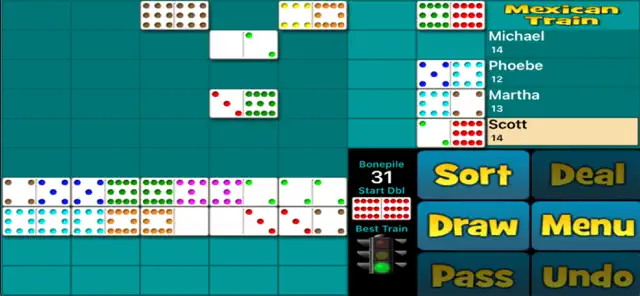
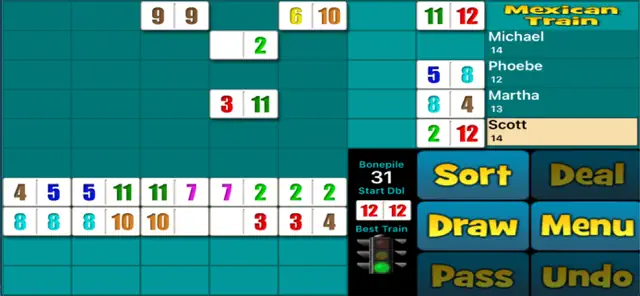
Mexican Train Dominoes 2 is a fantastic digital adaptation of the classic tabletop game. It manages to capture the social strategy of the original while automating the tedious parts like scorekeeping and tile shuffling. The UI is clean, making it very easy to see the different 'trains' and identify which tiles you can play.
The AI is surprisingly competent, offering a real challenge on higher difficulties, but the game really shines in its local and online multiplayer modes. It’s a slow-paced, relaxing experience that is perfect for playing with family members or friends across the country. If you're a fan of traditional board and tile games, this is a must-download.
Features
Beautiful 3D graphics and tile animations
Challenging AI opponents with 3 difficulty levels
Pass-and-play and Online Multiplayer
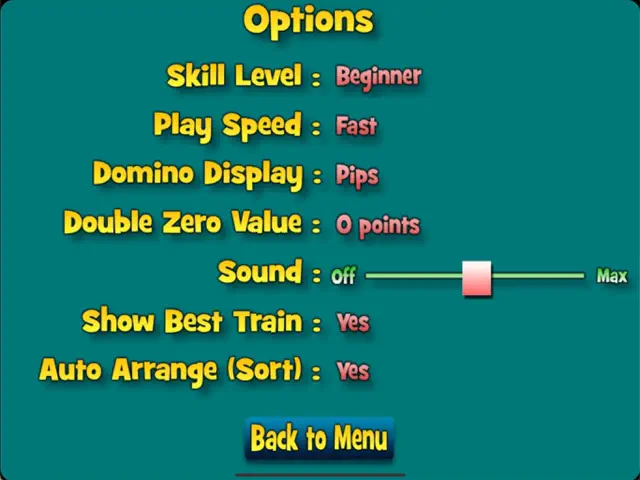
Highly customizable game rules
Auto-save feature to resume games anytime
Tips & Walkthrough
Always try to play your highest-value tiles early to minimize your score if someone else wins. Keep an eye on the 'Mexican Train' (the public one) as it's often the safest place to dump tiles if your own personal train is blocked.
Gameplays
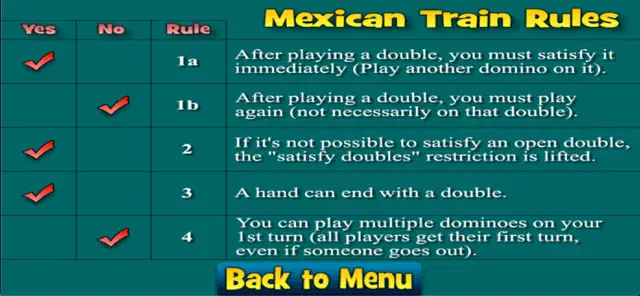
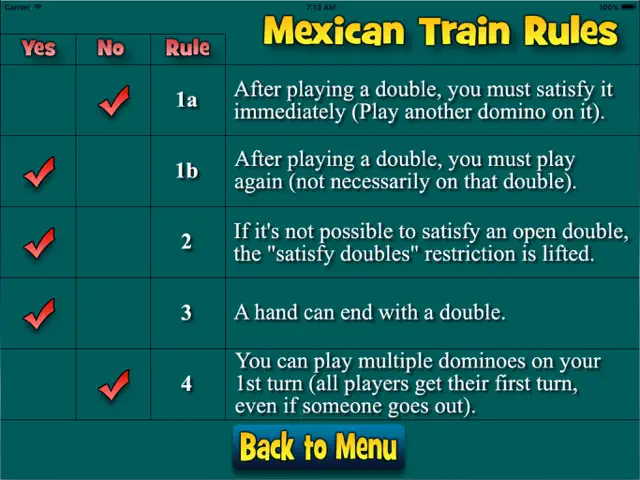
The game allows you to toggle specific house rules, such as whether a double tile requires an immediate follow-up or if you can play multiple doubles in a single turn.
Screenshot

Q&A
If you cannot play a tile, you must draw one from the boneyard. If you still can't play, you must place a 'marker' on your train, allowing other players to play on it.
Ratings & Reviews
Won’t stay in ‘slow’ game mode
Mon Apr 16 2018 plyfdeI love this game and haven’t minded most of the minor bugs the app has dealt with, but since the newest update, the game speed gets faster and faster as I play. I like to play in the ‘slow’ mode, but can only play for a few minutes before it kicks it up to medium or fast. I have to reset the game in order to get it to go back to slow for a few minutes again. I’ve tried deleting and re-downloading it with no luck. I’ll continue to play because I love it, but I would greatly appreciate a fix to this annoying change.
Bugs prevent play
Fri Jan 21 2022 kristipalmerI wanted to love this app - the dev is going out of his way to protect privacy and make a fun game. But, three times now I have had to delete and reinstall the app due to a bug that (first) prevents any input/interaction, and (second) crashes the game immediately on restart if you try to exit and come back to keep playing. Best description of this bug is: game assumes the full real estate of the screen is usable play area. But, iPhone uses the top center band and bottom center band as areas to control the OS (top: see notifications; bottom: change active app). When selecting a tile in the top band, the tile drops and seems to get “stuck”… it falls onto the board abutting or obscuring other tiles, and the game logic comes to a screeching halt (and then freezes, etc; see above). While I don’t expect a game dev to make bug fixes his full time job, I do expect a paid app with critical failures to be resolved. Five stars for intent, but one star for a fabulously failed execution.
Needs fixes
Tue Jun 07 2022 Kindle 4 iPhoneThe game itself is very fun. The missing star: the app crashes and you have to do a hard reset to start playing again. Also, when the game starts, a player goes through 7 or 8 tiles with a starting count of 5? You haven’t made one play yet! So, hit the restart hand button— or you’ll be behind by 80 points.
Excellent game
Thu Jul 28 2022 ddchernI play this game on my iPhone 12 and various iPads. Works very well for me. An occasional crash but is comes back up fine. My only suggestion is to place the Mexican train in the same spot on the iPhone as it is on the iPad version. Right now the iPhone has the Mexican train at the top but the iPad version has it near the player’s train (which is easier to follow). I would love to play this with others remotely using turn-based or at least live play.
Overall a okay game
Mon Dec 14 2020 Naskart46I love playing Mexican Train, so I downloaded this game. The play is good, but I have noticed 2 major issues that are frustrating. 1st: sometimes when I play on the Mexican Train, it will mark my train as available. 2nd: there are times when one of the computer controlled opponents leaves an open double and the other computer controlled opponents will play on another train and not the required open double. These are really basic rules I feel the game should not have an issue with.
Frustrating game
Fri Jul 30 2021 PagefireLove this game, however the bugs are very annoying😡 I’ve deleted this app. and reinstalled it a few times, in hope that it would improve. I’ve tried every trick I know to get a through a complete game😳 Scott, Thanks for the reply. I’ve started using the game again and have found it very satisfactory!❤️
A great program.
Fri May 10 2024 Graham PrixI am really enjoying it. It is addicting for this disabled veteran so I’m playing it too much. I have loved Yatzy, even with its bugs, many of which were recently improved. I play Yahtzee with my wife and it would be nice to add another live person here. I have no idea the ,magnitude of programming that would take.
One problem
Thu Jan 02 2025 GrammaSessieI have played this game for years and really enjoy it. Recently, the display has changed. The board is smaller and the right side with players names and buttons is enlarged. It makes the dominoes much smaller and not as easy to touch accurately. Don’t know why that has happened.
Some Youtube Videos found!

Mexican Train Dominoes for Two Players | domino games - YouTube

How to play Mexican Train Dominoes - YouTube

How to play Mexican Train - YouTube
How To Play Mexican Train - YouTube

How to Play Mexican Train - YouTube

How to Play Mexican Train (Domino Game) - YouTube

Easy Mexican Train Dominoes Rules for Beginners! - YouTube
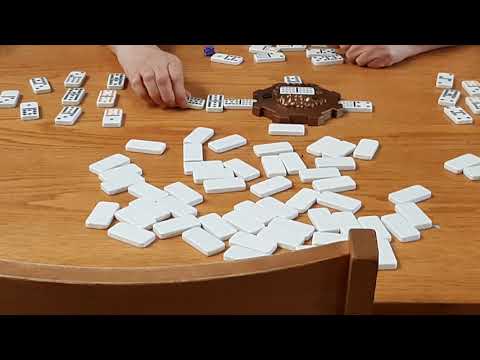
Train Dominoes - YouTube
News found!
 Mexican Train Dominoes by Dilly Dally Games
The ultimate domino game! Mexican Train Dominoes is fun and challenging. Win the gold and become a domino train master by scoring the fewest...
AppAdvice Mon Dec 16 2024