
Dice Roll - Interactive Widget
Custom homescreen & lockscreen
Ratings
Age
4+
Category
Family
Languages
English
Fri Sep 22 2023
Bug fixes.
Dice Roll: Interactive Widget brings the fun of rolling dice to your iOS interface. This app allows you to set up interactive widgets on your home or lock screen, enabling you to roll 3D dice with a single tap. Featuring realistic physics, haptic feedback, and a wide variety of customizable dice types (including D4, D6, D8, D10, D12, and D20), it's the perfect tool for RPG fans, board game players, or anyone who needs a random number generator on the fly.
Dinsun Expert Review
Our Expert Score
Dice Roll: Interactive Widget is more of a high-utility lifestyle app than a traditional game, and it excels in that specific niche. The brilliance of this app lies in its simplicity and integration. It allows you to place a fully functional, 3D physics-based die directly on your home screen or lock screen as a widget. It solves the eternal problem of needing a die for a board game or a quick 'coin flip' decision without having to hunt through your app drawer.
The physics are surprisingly tactile; shaking your phone or tapping the widget triggers a satisfying, realistic roll with crisp sound effects. The customization options are extensive, allowing you to choose between D6, D20, and custom-colored dice. While it’s not something you’ll play for hours, it’s an incredibly well-designed tool that adds a touch of interactive fun and utility to your iPhone’s interface. It’s a masterclass in how to use iOS widget technology effectively.
Features
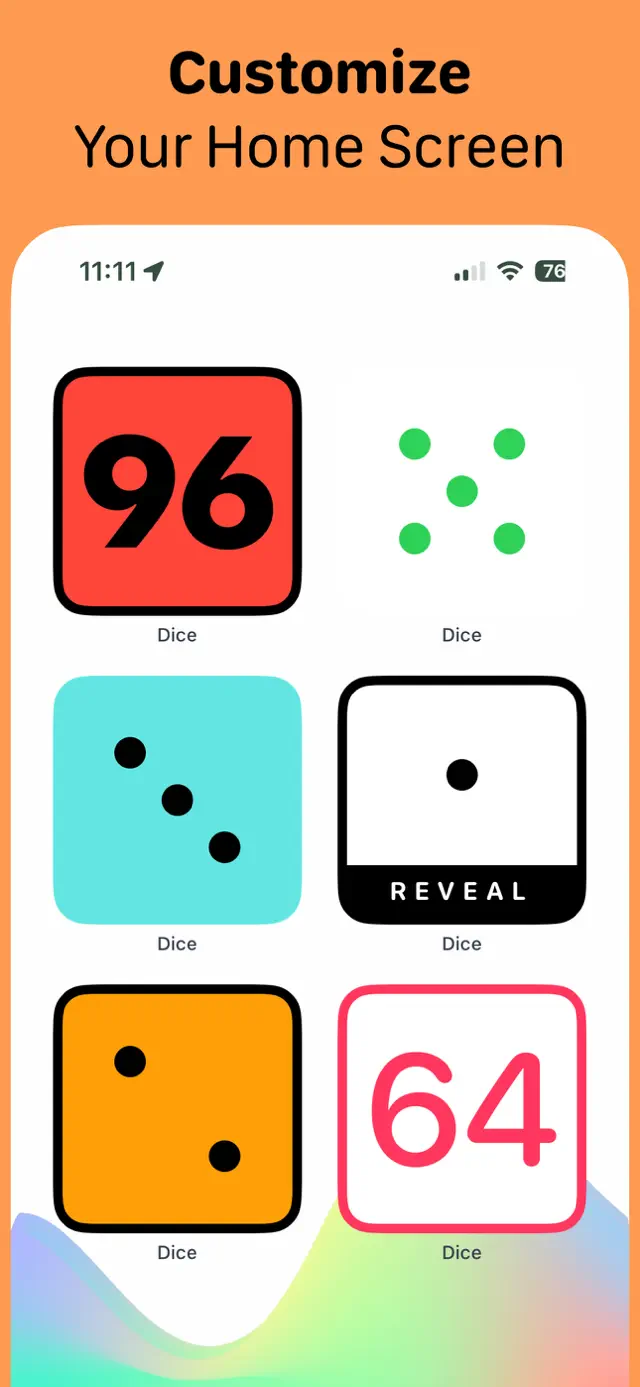
Interactive home/lock screen widgets
Realistic 3D physics and haptics
Full range of RPG dice (D4-D20)
High-contrast, customizable themes
Tips & Walkthrough
After installing the app, long-press your home screen and add the 'Dice Roll' widget. You can then tap the widget and select 'Edit' to choose your favorite color and the number of dice you want displayed on the screen at once.
Gameplays
Enable 'Shake to Roll' in the app settings. This allows you to roll the dice just by shaking your phone, even if the app is only open as a small widget, providing a more tactile and fun experience during game night.
Screenshot



Q&A
The widget is optimized for iOS power management and only consumes battery during the brief moment you are actively rolling the dice.
Ratings & Reviews
They should call this app “Eternal One”
Wed May 07 2025 FroobleMeThe only thing this app is supposed to do it doesn’t do. Just shows a 1 all the time
Doesn’t work
Tue Sep 09 2025 Sunshine CedarIt doesn’t work.
Some Youtube Videos found!

Dice Roll - Interactive Widget (NEW iOS 17 Widget) iPhone/iPad - YouTube

NEW RANDOM DICE GAME!!! | Random Dice: Roll Roll First Gameplay (Random Dice Roll Roll) @LuNEJuNE - YouTube

StreamRoll.io - Dice Rolling Tool for Live Streamers - YouTube

Roll a die - YouTube

Step by Step: How To Build An App - Dice Roll (for beginners) - YouTube

Adding a Dice Roll Overlay in OBS - YouTube

Build a Dice Roller App in Android Studio - YouTube

Randomdice RollRoll gameplay - YouTube
News found!
 iOS 17: 7 interaktive Widget-Apps f�r iPhone und iPad
� Rihab Mehboob. Dice Roll. Eine besonders einfache Demonstration der M�glichkeiten der neuen interaktiven API ist die App Dice Roll. Wer...
Futurezone Fri Aug 29 2025