AR Cybertruck
Augmented Reality Experience
Ratings
Age
4+
Category
Simulation
Languages
English
Tue Dec 10 2019
Screen Recording, Bug Fixes, Updated Interface, Additional Scaling Option, Tips Screen

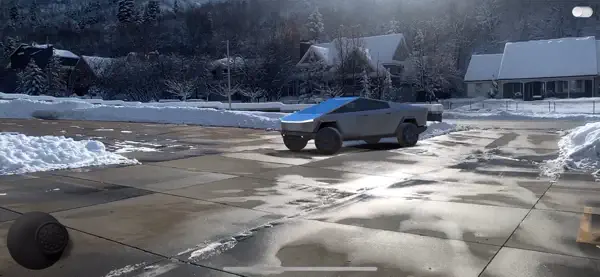
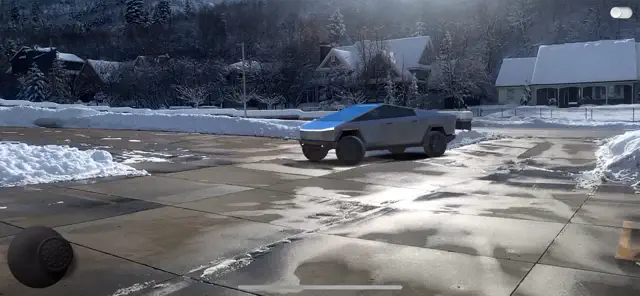
AR Cybertruck uses cutting-edge augmented reality to bring the world's most talked-about electric truck to your doorstep. Explore every angle of the futuristic design, test out the interactive features like the vault cover and ramp, and take high-resolution photos of the truck in your real-world environment. It's the ultimate 'digital test drive' for Tesla fans.
Dinsun Expert Review
Our Expert Score
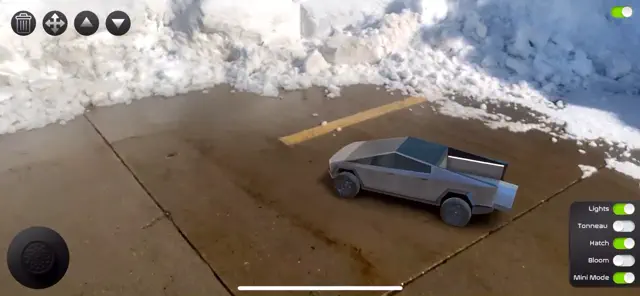
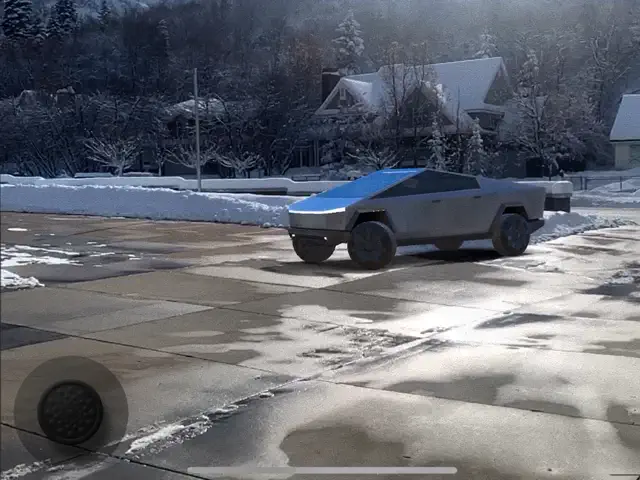
AR Cybertruck is more of a technical showcase and a fun toy than a traditional game, but it's very well executed for what it is. Using your phone's AR capabilities, it drops a high-fidelity model of the Tesla Cybertruck into your real-world environment. The tracking is surprisingly stable, allowing you to walk around the vehicle and even 'open' the doors and tailgate.
The 'drive' mode is simple arcade fun—you can pilot the truck across your living room floor, with the wheels reacting to the 'surface' correctly. It’s a great app for car enthusiasts who want to see the scale of the vehicle in person before they (someday) own one. While it lacks deep missions, the ability to take photos and videos of the truck in wacky locations (like on top of your dining table) provides plenty of social media entertainment.
Features
High-fidelity 3D model with realistic textures
Stable AR tracking and scaling
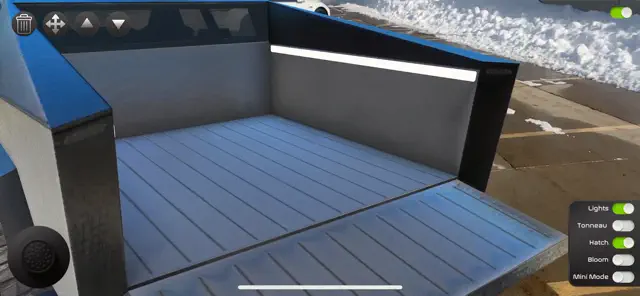
Interactive doors, ramp, and lighting
Built-in photo and video capture mode
Tips & Walkthrough
Find a well-lit, flat surface like a floor or a driveway. Slowly move your phone in a circular motion to map the area until the Cybertruck appears.
Gameplays
Tap the rear of the truck to lower the ramp, or tap the side windows to see the 'unbreakable' glass in action (virtually, of course!).
Screenshot
Q&A
Yes, there is an on-screen joystick that allows you to drive the AR model around your environment.
Ratings & Reviews
Fun but a little dodgy
Fri Dec 06 2019 ButterwaffleThe idea is great, but the execution leaves a little to be desired + The initial startup for me was a completely black screen that lasted several minutes before moving to "Downloading cybertruck." Seems like updating the model should be a background task and the app should come with the initial model. + Every time I switch back to the app, I see "Downloading cybertruck." + Only one ipad/iphone orientation is supported. + The size of the truck seems a little too large (my real life truck has dimensions > cybertruck, but the app draws the cybertruck larger). Despite the rough edges, it is fun to play with. Hopefully some polish will be forthcoming. Also, it would be great to have a mode where you could throw sledgehammers and steel balls at it. :-)
New update not improved
Tue Jan 14 2020 Mxa77The previous original version allows variable scaling, but in this version you can’t do that and with full size or other options the truck doesn’t come in at right size/scale. Most of the time it’s placed either too big or too small. Also there’s no easy way to take a snapshot or record a video while using the app. The record function is hard to activate and doesn’t put the video in Gallery. Otherwise this is a fun AR application.
Can’t change the size of the truck
Mon Dec 16 2019 Belly peckerbuttIPhone 6s+ and I can’t change the size of the truck. One the of the demo videos shows that you should be able to do this. There seems to be a slider at the top of the app to resize bit I cant get it to work. Edit: Thanks for the response developer. I figured it out after the fact. 🙄
Great app, please add instructions
Fri Dec 06 2019 MyMac.comreviewerThis is a great AR app but would be nice to have some instructions on how to record stills and videos. Not sure if this feature is not included or I just haven’t figured out how to do this. I can do a screen shot and off line editing for stills but really would like to capture real time video and stills.
Super Fun!
Fri Dec 06 2019 xXKingMickeyXxWould be awesome if there was an interior mode! As someone who ordered a CyberTruck and is super excited for it I love this app, please continue to update it with new features such as the ramp, attachable options on Tesla’s website (like the tow bed and the camping set, as well as the ATV if you could model it inside the bed). I think you have a great idea here.
Can not resize on iPhone 10
Fri Dec 20 2019 LuvMyTeslaNice app, but I would like to be able to resize the CT to play with the RC. Taping or sliding on the resize tool does not work. I read a similar review about not being able to adjust the size but thought that I would try it anyway. What the heck for 2 bucks I thought I’d give it a try, nope still not working even with latest iPhone update. Hopefully they can get this working soon.
Works well! Feature request
Fri Dec 06 2019 AlexanderAFIt works really well and is a fantastic way to show the Cybertruck off until the real thing arrives. I’d love to have the ability to record videos, though!
Do this please!
Wed Feb 26 2020 YoungSatanSo can you rename the game ar Tesla then change your video previews or however you want them to be! Then can you add all the Tesla cars that Tesla has made into the game to be in ar that. Would be cool
News found!
 Prank Your Friends with this New Tesla Cybertruck App Using Augmented Reality
The app AR Cybertruck lets you get Tesla's latest electric pickup truck, today.
iPhone in Canada Sun Dec 29 2019